DaisyOS
Products
Solutions
Support
About
Blogs
Get a Quote
COUNTDOWN · TIMER · FULLSCREEN

Utime — Countdown & Timer in Full Screen

Countdown, stopwatch, and full-screen display — native on DaisyOS

No more switching between apps or squinting at tiny timers. Set, start, and display timing in full-screen on your interactive whiteboard — for exams, presentations, workouts, and event management. Precise and effortless.

Countdown Mode Stopwatch Full-Screen Display Alarm Alerts Precision Timing

Utime in Action

See how Utime turns any interactive display into a precision timing tool — for classrooms, meetings, and events.

Utime — Full-Screen Timer & Countdown Tool
Countdown / Stopwatch / Full-Screen Mode · Alarm Alerts · On-screen Controls
⏱ Product demo · 1min
▶ Watch on YouTube →

Dual timing modes — countdown timer & stopwatch with precision controls

Full-screen display mode — visible from every corner of the room

Customizable alarm alerts (visual & sound) at end of countdown

Intuitive touch controls — start, pause, reset, and presets in one tap

Precision Timing for Every Moment

From classroom countdowns to meeting timers and event clocks — Utime keeps everyone in sync.
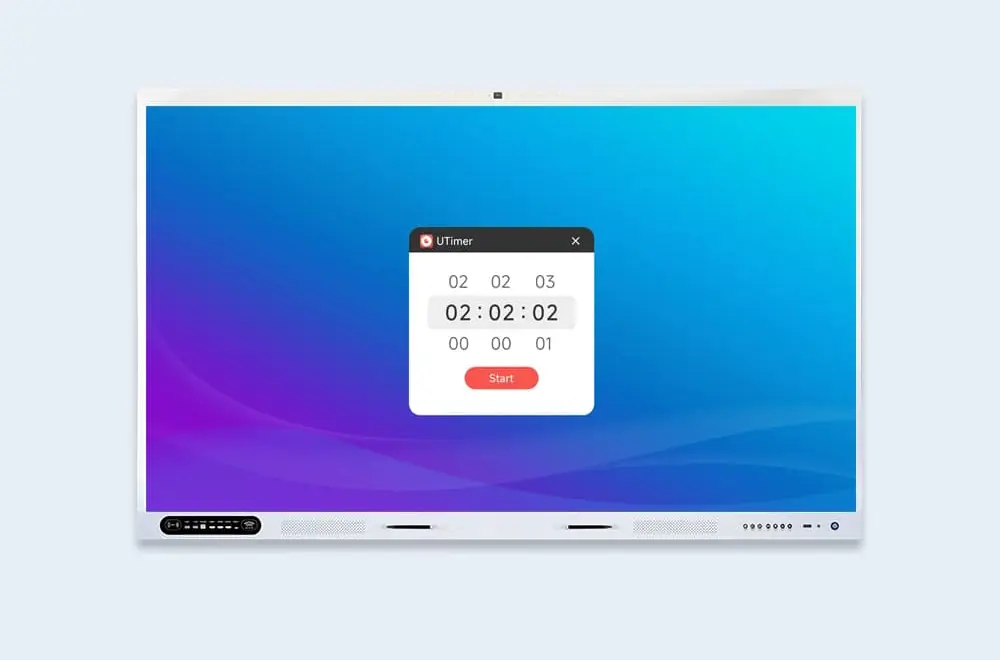
Precision countdown timer
Countdown Timer & Stopwatch

Precision Countdown

Set hours, minutes, and seconds with easy tap controls, or switch to stopwatch mode for millisecond-precision timing. Start, lap, and track without missing a beat.

  • Custom duration — set any time from 1 second to 99 hours
  • Lap timing — track split times without stopping
  • Quick presets — save and recall frequently used timings
  • Millisecond precision — 1/100s accuracy for exact measurements
  • Visual progress — real-time countdown indicator at a glance
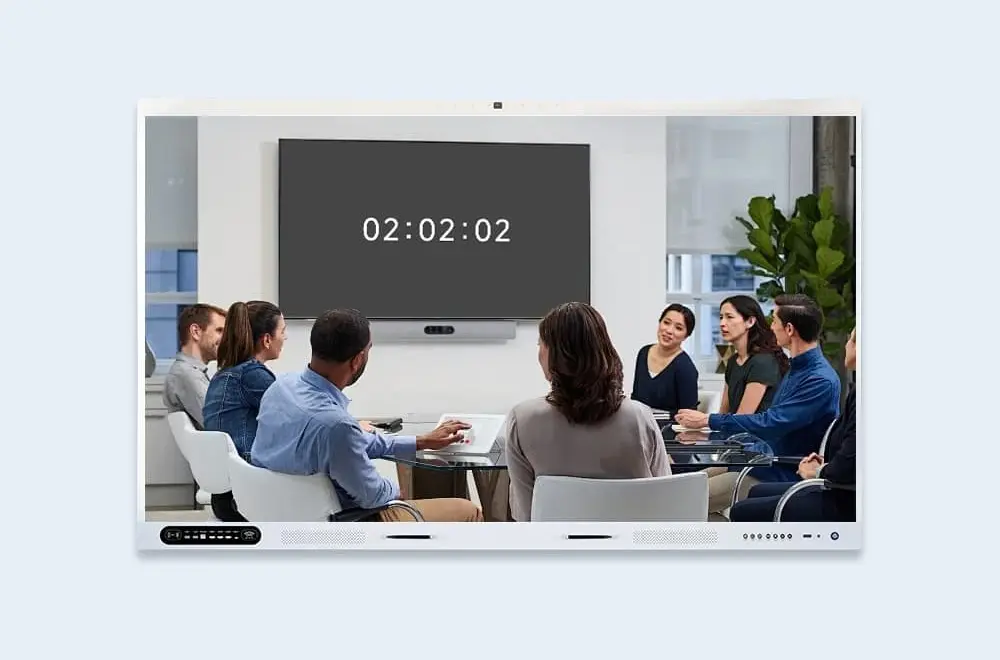
Full-screen timer display
Full-Screen Mode

Visible to Everyone

One tap expands the timer to full-screen — large, clear digits visible from the back of any room. Keep everyone on the same clock without craning necks or checking phones.

  • Full-screen toggle — instant switch from compact to room-sized display
  • High-contrast format — bold digits in any lighting condition
  • Adaptive layout — landscape or portrait, fits any screen orientation
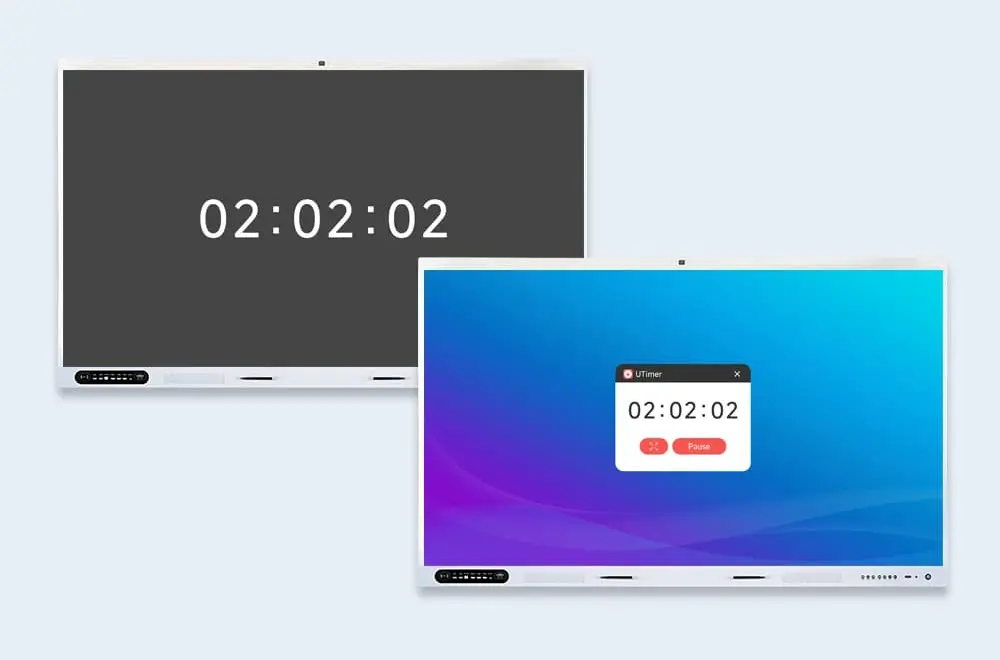
Simple touch controls
Controls

Simple Touch Controls

Built for interactive displays — start, pause, reset, and switch modes with intuitive touch gestures. Preset management saves your most-used timings so you're ready in one tap.

  • One-tap start — launch presets instantly from the home screen
  • Pause & resume — flexible control without resetting progress
  • Mode switching — toggle between countdown, stopwatch, and clock

Built for Every Setting

From timed classroom activities to conference sessions and sports events — Utime adapts to your rhythm.

Classrooms

Display timed quizzes, group activities, and exam countdowns on the big screen. Students stay focused when everyone can see the clock.

Meetings & Training

Keep presentations and breakout sessions on schedule. Display the session timer so speakers and attendees know exactly how much time remains.

Events & Competitions

Manage speaking slots, competition rounds, and intermission timers from one interface. Full-screen display keeps participants and audiences informed.

Frequently Asked Questions

Quick answers to common questions about Utime.

Utime provides two primary modes: Countdown Timer (set a specific duration with alarm at the end) and Stopwatch (start/stop with lap timing, precise to 1/100th of a second). Both support full-screen display.
Yes. Utime lets you save custom presets for any duration — 5-minute pop quizzes, 15-minute breakout sessions, 45-minute lectures. Launch any preset in one tap.
One tap expands the timer to fill the entire display. Large, high-contrast digits are readable from across the room — perfect for classrooms, conference halls, and event spaces. Works in both landscape and portrait orientations.
Utime triggers the alert mode you selected — audible alarm, visual flash, or both. You can also enable auto-reset for repeating intervals (e.g., 1-minute rounds, 30-second rotations).
📩 Request a Quote

Need a Solution That
Fits Your Project?

Tell us what you're looking for and we'll tailor a quote to your requirements — with pricing, lead time, and expert advice.

Headquarters5th Floor, Huihang High-tech Industrial Park, No. 9 Zhongnan Middle Road, Chang An Town, Dongguan City, Guangdong Province
Get Your Custom Quote
Fill out the form and we'll get back to you within 12 hours.
Quick InquiryGet a quote
✓ Sent! We'll reply within 4 hours.
Chat on WhatsAppReply in minutes